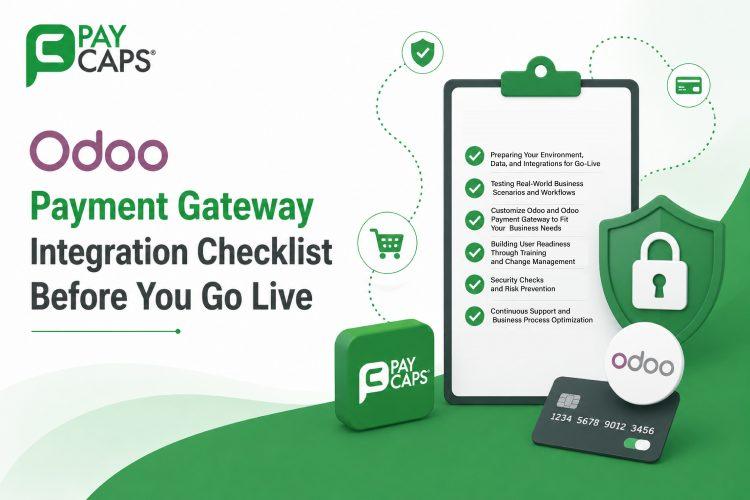
Odoo Payment Gateway Integration Checklist Before You Go Live





Odoo Payment Gateway Integration Checklist Before You Go Live
Going live with Odoo is one of the most critical milestones in an ERP journey. If the pre-go-live stage is rushed, you risk data issues, frustrated users, operational disruptions, and even payment processing challenges from day one. A well-planned Odoo deployment checklist helps validate every critical area before going live, including system configurations, user readiness, and Odoo payment gateway integration.
In this blog, we’ll walk through a practical, business-friendly Odoo payment gateway integration checklist you can use to confirm your readiness for an Odoo go-live, ensuring that both your ERP workflows and Odoo payment gateway integration are prepared for a smooth and successful launch.
Why Every Business Needs a Pre Go-Live Checklist
Many teams suppose that once the configuration part is done and UAT is signed off, the system is ready for production. In reality, minor issues in role configuration, data mapping, localization, or Odoo payment gateway integration usually come out only when real users start processing real transactions. A focused pre-launch validation reduces post-go-live issue resolutions, ensures seamless payment processing, and builds confidence across the organization.
Think of this checklist as your final safety gate: if each section is green, you’re ready to go live, significantly increasing your chances of a smooth, stable, and successful Odoo launch.
1. Preparing Your Environment, Data, and Integrations for Go-Live
Your odoo go‑live is only as strong as the technical foundation behind it. Before you move to production, verify the following:
- Clean and reconciled data
- Existing system data for customers, vendors, products, pricing, and COA is cleaned and removed duplicates.
- Data is mapped correctly to relevant Odoo modules and fields, and you have completed at least one successful trial migration with reconciliation reports.
- Production environment readiness
- Backup, recovery, and rollback procedures are documented and tested so that your team can promptly restore operations if any issue occurs during the go-live phase, including disruptions related to Odoo payment gateway integration.
- Integrations tested end‑to‑end
- Connected systems CRM, contact center, e‑commerce, payment gateways, POS, WMS, third‑party logistics are integrated and tested with live‑like data.
- Data align is validated in both directions where applicable, with no duplication, broken references, or delays.
- Performance and security checks
- Load & stress tests are done on key flows such as POS, inventory operations, and invoicing to make sure performance under peak traffic.
- SSL, firewall rules, database access, and system monitoring are enabled, and performance alerts are set for CPU, memory, and response times.
2. Testing Real-World Business Scenarios and Workflows
An even highly advanced and well-engineered technical solution might cause problems if your business processes are not thought through and optimized correctly. While having cutting-edge technology is vital for success, without proper functioning of your workflow and integration of the Odoo payment gateway solution, your system won’t be implemented successfully.
Checking your business processes, transaction flows, and the efficiency of Odoo payment gateway integration during the test phase allows identifying all possible problems early and guarantees smooth payment processing.
Key checks include:
- Process coverage and completeness
- Every critical process across sales, purchasing, inventory, manufacturing, services, accounting, HR, and payroll, where relevant, has documented workflows in Odoo, along with clearly defined Odoo payment gateway processes to ensure seamless transaction management and payment operations
- You have validated complete, cross-department flows—for example, Quotation → sale order → delivery → invoice → payment → accounting using realistic data volumes
- Business rules, automations, and approvals
- Automated workflows approval thresholds, email notifications, scheduled actions are tested with actual business rules
- Manufacturing BoMs, routings, costing methods, and MRP rules are verified, and edge cases (returns, cancellations, partial deliveries) are covered.
- Localization and compliance
- Taxes, fiscal positions, journals, and statutory reports are configured and validated by finance or compliance stakeholders
- Country‑specific requirements (e‑invoicing, VAT, GST, SAF‑T or other local formats) are tested with sample filings where applicable.
Run these validations with business owners and key users present, including checks for Odoo payment gateway integration. It is much easier to refine a workflow and resolve payment-related issues today than to deal with production incidents after go-live.
3. Customize Odoo and Odoo Payment Gateway to Fit Your Business Needs
- Setting Up Users and Permissions
- Role configuration and permission configuration are essential in Odoo deployment. Establish which users will be able to access which sections of the software, including the modules concerning Odoo payment integration. Guarantee that confidential data, payment data, and Odoo payment gateway data are accessible exclusively to the designated personnel. Effective role and permission management ensures security and reduces potential operational risks.
- Configuring Basic Settings
- It is recommended that you set up basic configurations like multi-currency support, tax schemes, languages, and company GST/VAT details along with Odoo payment gateway details from the beginning itself. This will help in avoiding any problems during operations and ensure seamless payment processing. These configurations will guarantee that Odoo perfectly fits into your business needs.
4. Building User Readiness Through Training and Change Management
Many ERP implementation projects fail due to people and process issues rather than technology. Your go-live will only succeed if users understand how Odoo works, how it changes their daily workflow processes, and how to manage transactions through Odoo payment integration. Proper training and awareness help ensure smooth adoption, efficient operations,and a successful transition to the new system.
- Role‑based training Plans
- Training programs are devised per each position and according to organizational business processes (sales, warehouse, finance, HR, management), with case-based training rather than demo training
- Clear communication plan
- A rollout bulletin communicates what is changing, when the cutover will happen, and any expected downtime or freeze
- Users know where and how to raise issues (ticket system, email, chat channel) and what response times to expect during the hyper‑care period.
- Acceptance and feedback loop
- UAT sign‑off is obtained from all key stakeholders, not just IT Team or the implementation partner.
- A feedback mechanism is in place to collect user issues and change requests after go‑live and feed them into a structured backlog.
If your users still see Odoo as “another system” instead of the system, or are not yet comfortable using the Odoo payment gateway for daily transactions, invest more time in training and communication before going live.
5. Security Checks and Risk Prevention
Security and compliance often get pushed to the end of the project, but a missed configuration in your system or Odoo payment gateway integration can have long-term implications for business operations, data security, and regulatory compliance.
Make sure these checkpoints are complete:
- Access Permissions and Security Controls
- User roles, groups, and record rules reflect actual job responsibilities, with least‑privilege access as the default.
- High‑risk functions bank reconciliations, journal entries, configuration access are restricted and audited regularly.
- Data Protection and System Monitoring
- Audit logs are enabled to track user activity, configuration changes, and key business events
- Backup schedules, data prevention rules, and data protection standards are defined and validated in line with company and regulatory requirements, ensuring the security and reliability of Odoo payment gateway operations and payment-related data
- Risk Management and Planning
- A rollback plan exists in case of major failure (for example, reverting to legacy systems or a previous database snapshot).
- A cutover plan defines what happens to open orders, balances, and stock during the transition period so you avoid double posting.
Document your decisions to ensure that any future audits and reviews can quickly understand how security was implemented for your system and Odoo payment gateway integration at the time of go-live.
6. Continuous Support and Business Process Optimization
Go‑live is not the end of the project, it’s the start of ongoing development. The first 30–90 days are critical for securing the system and optimizing user experience.
Prepare for this phase with:
- Hyper‑care and SLA clarity
- A dedicated support team is assigned for the first weeks, with extended coverage around go‑live day.
- SLAs for issues multi levels and response times are clearly agreed with your Odoo partner
- Monitoring System Performance and Operations
- Dashboards and reports are configured to track key KPIs such as order processing time, inventory accuracy, invoice cycle time, and system performance.
- Weekly review meetings analyze issues & improvement opportunities.
- Continuous enhanced roadmap
- A backlog of enhancements, smaller automations, UI tweaks, and Odoo payment gateway integration improvements is maintained and prioritized post go-live, allowing the system to evolve without unnecessary delays.
- Version upgrade and maintenance strategy (Odoo version migrations, module updates and add-on plans, security patches) must be clearly defined with your implementation partner.
Quick Odoo and Odoo Payment Gateway Integration Go-Live Checklist
Use this condensed checklist as a last‑minute confidence check before approving go‑live:
- Data migration pilot testing finished and reviewed
- Integrations tested under real-world conditions
- Workflows verified end-to-end with the involvement of business owners
- Role-based training management using Q&A Session
- Access validation and localization done
- Backup, rollback, and go-live plans defined and tested
- Support strategy and service level agreements in place
- Post‑go‑live improvement backlog and upgrade strategy defined
If you can securely check all the points above if the organization is well prepared to go live with Odoo and start gaining real business values fast.
Ready to Go Live with Odoo?
A knowledgeable Odoo implementation partner will spot minor errors that internal teams tend to overlook and minimize post-go-live risks considerably. If some items on your checklist are yet marked yellow or red, it’s now high time for you to seek expert help, optimize your strategy, and make your Odoo rollout a success story. With the appropriate implementation and payment solutions partner like PayCaps, your company will achieve smooth integration, flawless transactions, and future success.
To get informed about Odoo implementation or other ERP consulting questions, feel free to contact PayCaps. We’ll get back to you shortly.



Top